



Best Online Booking Tools For Small Businesses 2026
Small Business Advice
In 2026, small businesses must offer online booking to meet customer expectations, with over 60% of appointments now scheduled online. Tools like Gatsboy, Calendly, Acuity Scheduling, SimplyBook.me, and Setmore simplify scheduling, reduce no-shows by up to 50%, and save time with automated reminders and payment integrations.
Key Takeaways:
Gatsboy: Combines website creation and booking management; starts at $500 upfront + $47/month.
Calendly: User-friendly scheduling with 289 integrations; free plan available, paid plans start at $10/month.
Acuity Scheduling: Ideal for service-based businesses; pricing starts at $20/month.
SimplyBook.me: Modular features for service businesses; free plan available, paid plans start at $9.90/month.
Setmore: Affordable option for small teams; free plan supports up to 4 users, paid plans start at $5/user/month.
Quick Tip: Test 2–3 tools with free trials to find the best fit for your business needs.
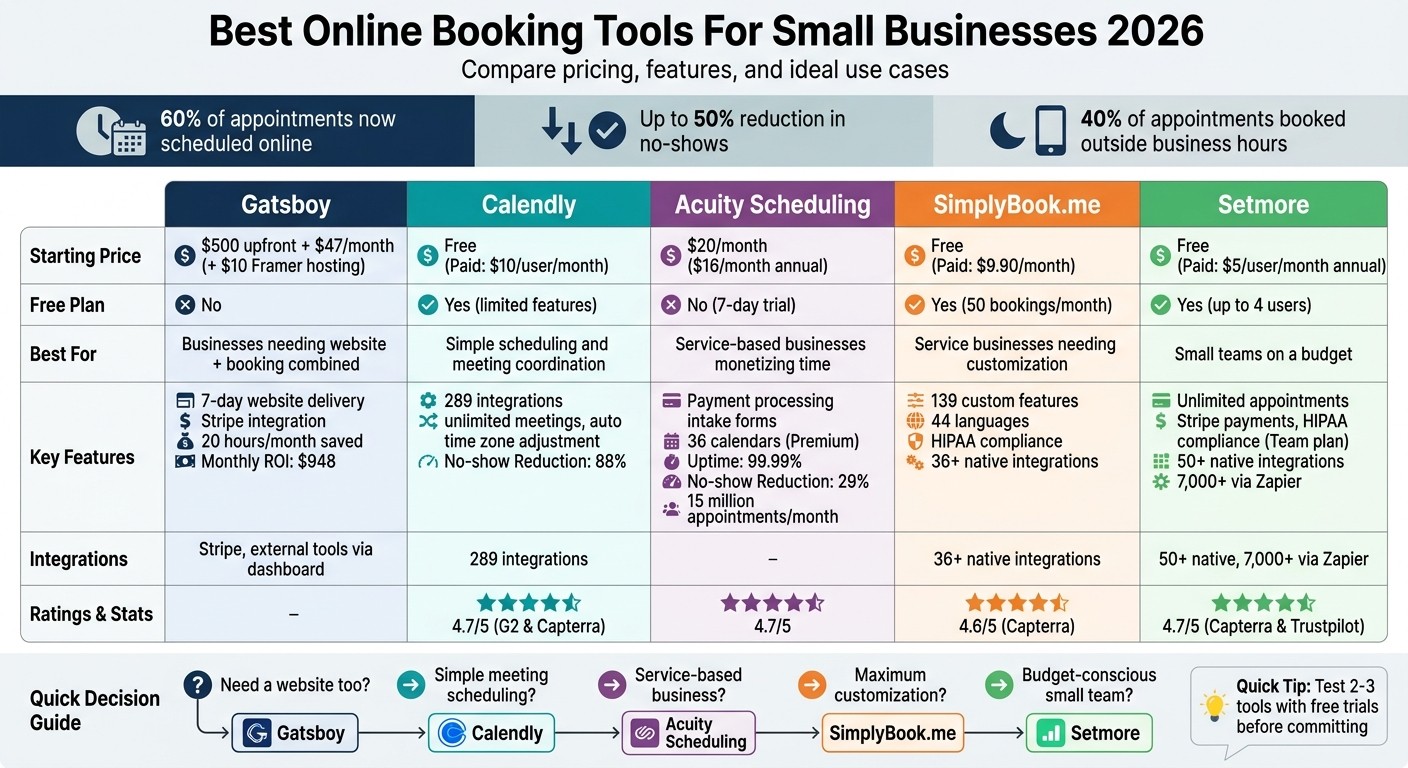
Comparison of Top 5 Online Booking Tools for Small Businesses 2026
10 Best Appointment Scheduling Software & Booking Apps (Free and Paid) in 2026
1. Gatsboy
Gatsboy offers a unique blend of website creation and integrated booking management. In just 7 days, you get a fully built website with booking functionality accessible directly from your business dashboard.
Pricing
Gatsboy keeps pricing straightforward while supporting business growth:
Website Only: Pay a one-time fee of $500 for a 5-page Framer website. This includes SEO-ready structure, contact forms, and essential modules.
Website + Pro: Starts at $500 upfront plus $47 per month. This plan adds advanced features like form integration, Stripe payments, and improved lead management.
Both options require a Framer hosting plan at $10 per month. The best part? You own your website fully on your Framer account, giving you complete control and flexibility.
Customizability
One standout feature is how customizable Gatsboy websites are. Built using Framer, you can easily update your site without waiting for support. Need more features as your business grows? Add-ons like event management, job boards, or calculators can be seamlessly integrated. As Chris A. from Allen Studio shared:
"Gatsboy has helped me manage my website and respond to enquiries faster. It's rare to find a tool and service that does this".
Integrations
Managing a small business can be overwhelming, but Gatsboy simplifies the process with its integration capabilities. It connects with Stripe for payments and syncs seamlessly with external tools. By centralizing bookings, leads, and messages in one dashboard, it saves businesses up to 20 hours a month. This streamlined approach delivers an estimated monthly ROI of $948 for small businesses.
Scalability
Gatsboy’s modular design ensures it evolves alongside your business. Whether you need basic booking features or advanced tools like live chat or social media feeds, the platform scales effortlessly. With over 3,000 websites already delivered and a growing community, Gatsboy promises a live website in just 7 days - avoiding the delays often seen with DIY solutions.
2. Calendly
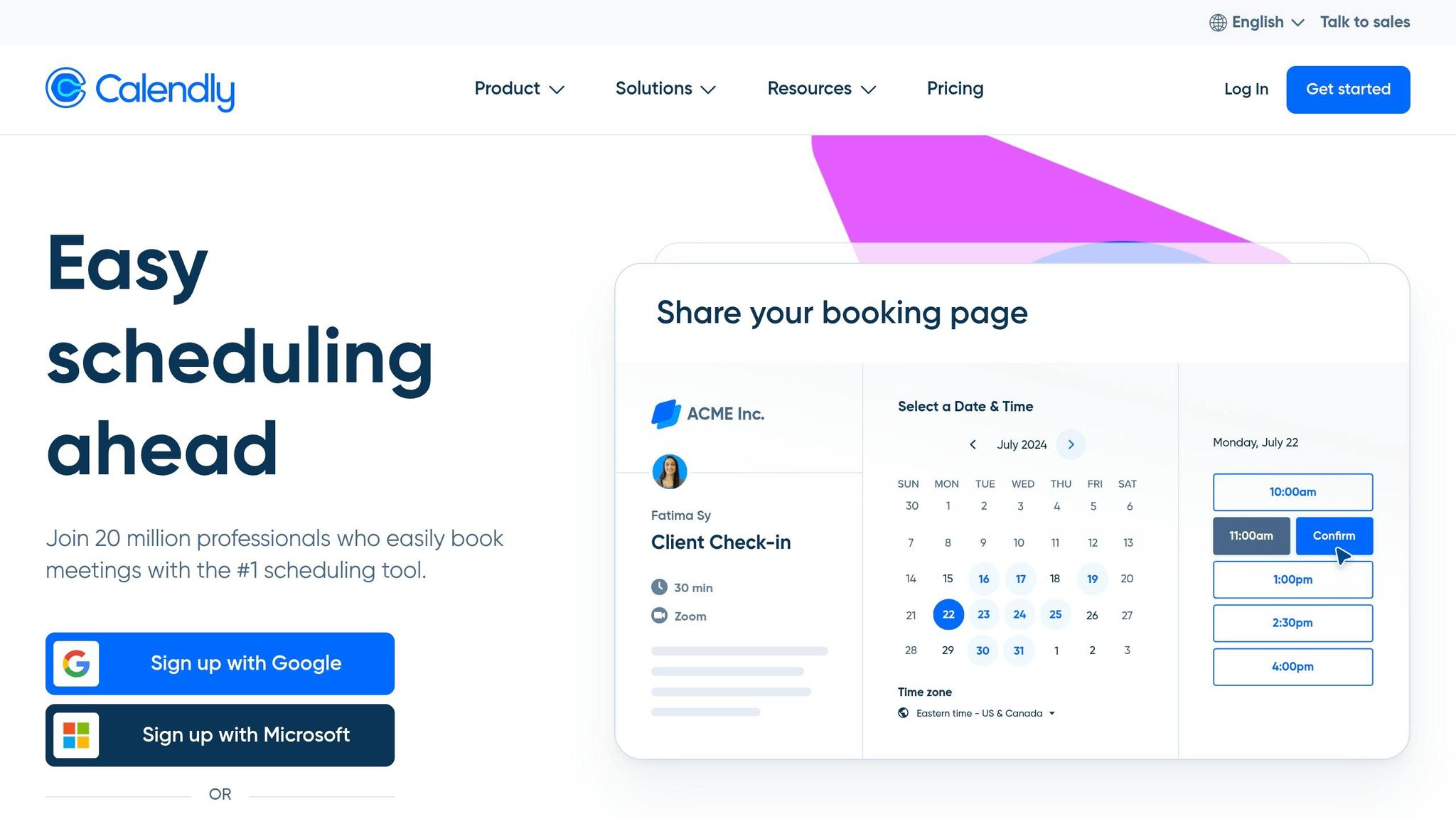
Calendly takes the hassle out of scheduling by letting clients book directly through a shared link. With 289 integrations, it’s among the most connected scheduling tools available in 2026.
Pricing
Calendly offers a free plan that supports unlimited meetings but limits users to one active event type and one calendar connection. For small businesses, the Standard plan costs $10 per user per month (billed annually). This plan removes Calendly branding, offers unlimited event types, and connects up to six calendars. For teams of five, the cost ranges between $50 and $60 per month. The Teams plan, priced at $16 per user per month, includes advanced features like round-robin scheduling and Salesforce integration. For larger organizations, Enterprise pricing starts at approximately $15,000 annually.
Customizability
Paid plans let you replace the "Powered by Calendly" footer with your own logo, giving your scheduling links a polished, professional look. You can also customize settings to include buffer times between meetings, set minimum notice periods, and limit the number of daily appointments to avoid burnout. The Teams plan takes it further with routing forms that assign leads to the right team member based on their responses. Calendly even adjusts meeting times automatically for invitees across time zones, ensuring smooth coordination. Plus, automated reminders have helped 88% of users reduce no-shows.
Integrations
Calendly works seamlessly with popular video platforms like Zoom, Google Meet, and Microsoft Teams. It also supports payment processing through Stripe and PayPal, making it easy to collect fees during booking. For CRM needs, it integrates with tools like Salesforce, HubSpot, and ActiveCampaign. Marketing integrations include LinkedIn, Linktree, and Typeform.
"Calendly eliminates excessive scheduling back-and-forth, ensuring I never miss a call" - Rosanna Campbell, B2B SaaS content writer.
In fact, Linktree users who add Calendly to their profiles see seven times more bookings. These robust integrations make Calendly adaptable to businesses of all sizes.
Scalability
Calendly is designed to grow with your business, whether you’re a freelancer or part of a large enterprise. The free and Standard plans cater to individual users, while the Teams plan supports collaborative scheduling and lead management for expanding businesses. Enterprise customers benefit from advanced security features like SAML SSO and audit logs. With a 4.7 out of 5 rating on both G2 and Capterra, users often highlight its clean design and time-saving efficiency.
3. Acuity Scheduling
Acuity Scheduling is designed for businesses that rely on monetizing time rather than just coordinating meetings. It goes beyond basic scheduling tools by managing the entire client experience - from booking to payment. With over 15 million appointments processed monthly and an impressive 99.99% uptime record, it’s a reliable solution for time-based services. Let’s dive into its pricing and features.
Pricing
Acuity offers three pricing tiers, with a 20% discount for annual billing:
Starter Plan: $20 per month (or $16/month billed annually). It includes one staff calendar, unlimited appointments, and payment processing through Stripe, Square, or PayPal.
Standard Plan: $34 per month (or $27/month annually). This plan supports up to six staff calendars and adds features like SMS text reminders, packages, memberships, and gift certificates.
Premium Plan: $61 per month (or $49/month annually). Designed for larger teams, it supports up to 36 staff calendars, offers HIPAA compliance with a Business Associate Agreement, and includes custom API access.
A 7-day free trial is available for all plans, allowing users to explore the platform before committing.
Customizability
Acuity stands out with its customization options. You can create detailed intake forms to gather essential information - like liability waivers or health histories - before appointments, cutting down on administrative work. Booking pages can be branded with your logo and colors, and you can set buffer times between appointments or even use the "Look busy" feature to hide certain time slots, creating a sense of demand.
For Premium users, advanced customization options like applying custom CSS and removing the “Powered by Acuity” footer are available. The platform also syncs automatically with Google Calendar, iCloud, and Outlook, ensuring no double-bookings.
"The email and text reminders have helped make my no-calls/no-shows nonexistent." – Ambria Little, Owner, A Little Gelly
Integrations
Acuity offers 163 integrations to enhance its functionality. It works seamlessly with payment processors like Stripe, Square, and PayPal. For virtual appointments, it integrates with tools like Zoom, Google Meet, and GoToMeeting, automatically generating meeting links. On the marketing and CRM front, it connects with Mailchimp, Constant Contact, HubSpot, and Salesforce to support automated follow-ups.
Additionally, Acuity supports seven automation tools, including Zapier and Make.com. As a Squarespace-owned product, it offers deep integration with Squarespace websites, making it a strong choice for users of the platform.
Scalability
Acuity is built to scale with businesses of various sizes. Instead of charging per user, it uses "bookable calendars", which is more cost-effective for businesses earning $500–$1,000 or more per month. Automated reminders have proven effective, with 75% of businesses reporting fewer no-shows and an average reduction in no-show rates by 29%.
The platform has earned a solid reputation, holding a 4.7 out of 5 rating on G2 and Capterra. Around 77% of its users are small businesses with fewer than 50 employees, showcasing its appeal to smaller operations.
4. SimplyBook.me
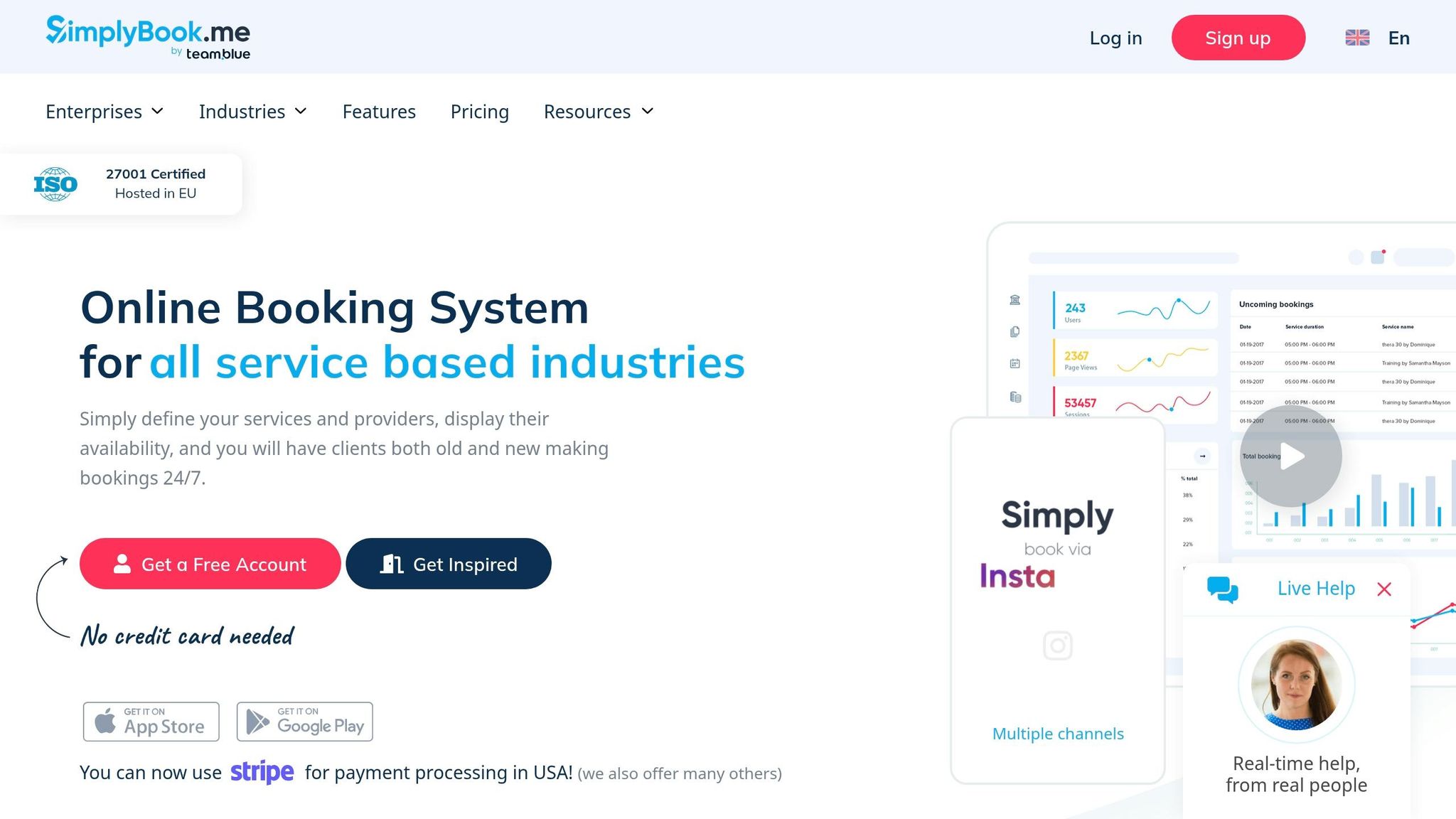
SimplyBook.me caters to service-oriented businesses like salons, clinics, and fitness studios, offering tools to streamline operations with a highly adaptable platform. Instead of focusing solely on meeting coordination, it provides a modular system with 139 customizable features. This setup allows businesses to pay only for what they need - whether it's memberships, gift cards, or HIPAA compliance - making it an attractive choice for small operations looking to avoid unnecessary expenses.
Pricing
SimplyBook.me offers five pricing tiers, each with a 14-day free trial:
Plan | Monthly Price | Bookings/Month | Custom Features | Providers |
|---|---|---|---|---|
Free | $0 | 50 | 1 | 1 |
Basic | $9.90 | 100 | 3 | 5 |
Standard | $29.90 | 500 | 8 | 15 |
Premium | $59.90 | 2,000 | Unlimited | 30 |
Enterprise | Custom | Custom | Unlimited | Custom |
The Standard plan at $29.90 per month is a great fit for small service businesses. It includes features like HIPAA compliance and a branded client app - options that competitors often reserve for higher-tier plans. Additional costs include SMS/WhatsApp credits at $8 for 100 messages, AI Voice Booking for $8 per 100 calls, and a full system setup service priced at $499. The platform scores an 8.5/10 for value.
Customizability
With 139 features, SimplyBook.me offers impressive customization options, though this flexibility may involve a steeper learning curve compared to simpler platforms. Businesses can build a fully branded booking website, use custom domains, personalize email communications, and even add custom fields to intake forms. The booking interface supports 44 languages, making it suitable for businesses serving diverse communities.
"Honestly, I've been looking for a booking system that is clean, simple and easy to use that has an extensive range of custom features and SimplyBook offers a clean, efficient system with extensive features." – Chyna Desveaux
The platform also integrates seamlessly with social media and search platforms. Features like "Reserve with Google" and "Book Now" buttons on Facebook and Instagram allow small businesses to capture leads directly.
Integrations
SimplyBook.me supports over 36 native integrations, ensuring smooth operations across various business functions. These include:
Payment Processing: Stripe, PayPal, Square, and even Bitcoin
Video Conferencing: Zoom, Google Meet, Microsoft Teams
Accounting Software: QuickBooks, FreshBooks, Xero
It also features a built-in POS interface for in-person payments. For marketing and automation, SimplyBook.me connects with tools like Mailchimp, HubSpot, Zapier, and Make.com, simplifying client communications and internal workflows. A two-way calendar sync with Google Calendar and Microsoft Outlook prevents double-bookings.
The platform is ISO 27001 certified and offers HIPAA compliance starting from the Standard plan, including a signed Business Associate Addendum (BAA) for healthcare providers.
Scalability
SimplyBook.me is designed to grow alongside your business. Its modular approach ensures flexibility, and its 24/7 automated booking system is especially valuable, as over 40% of appointments are booked outside regular business hours.
The platform enjoys strong user ratings: 4.7/5 on Trustpilot (252 reviews), 4.6/5 on Capterra (879 reviews), and 4.4/5 on G2 (95 reviews). Users often highlight the extensive customization options and ease of use, though some mention that the abundance of features can initially feel overwhelming. For businesses managing multiple locations, the Enterprise plan offers an admin interface tailored for complex operations.
"The membership management alone justifies the cost if you're currently tracking recurring clients in spreadsheets." – ToolWise Editorial
5. Setmore
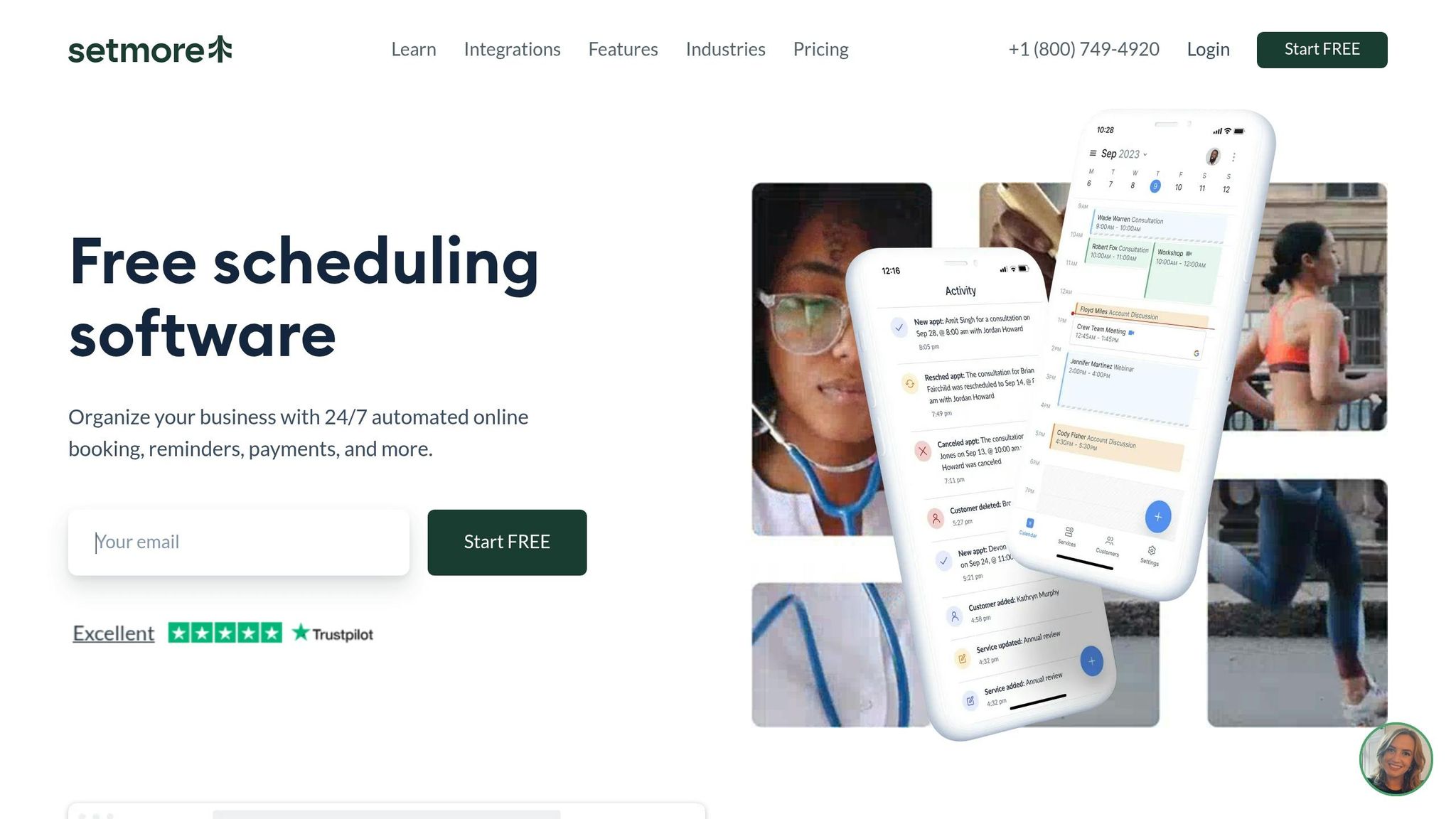
Setmore stands out as a practical and budget-friendly scheduling solution, particularly for small teams and businesses like salons, clinics, and tutoring centers. Its free tier is a notable highlight, allowing up to four users to manage unlimited appointments and process basic payments through Stripe - all without any upfront costs. This makes it a great entry-level option for teams exploring online booking platforms.
Pricing
Setmore offers three pricing tiers, with a 14-day trial available for paid plans:
Plan | Monthly Price | Annual Price (per user/mo) | Users | Key Features |
|---|---|---|---|---|
Free | $0 | $0 | Up to 4 | Unlimited appointments, Stripe payments, email reminders |
Pro | $12/user | $5 | 1–2 | SMS reminders, recurring appointments, 2-way calendar sync, no branding |
Team | $9/user | $5 | Unlimited | All Pro features, HIPAA compliance |
The Pro plan, available for $5 per user per month (billed annually), is ideal for small businesses needing SMS reminders to reduce no-shows. For larger teams, the Team plan offers the same rate but includes HIPAA compliance, making it a strong choice for businesses in healthcare or other regulated industries. Plus, Setmore donates 1% of subscription fees to tree-planting initiatives, adding an extra layer of goodwill to your subscription.
Customizability
Setmore provides several branding options, including a custom URL, logo, and cover photo, though the color palette remains fixed. You can also tailor booking forms and adjust language and time settings to suit your needs. A "Book Now" widget makes it easy to integrate the scheduling system into website platforms like WordPress, Wix, or Shopify. For those on paid plans, Setmore branding is removed from the booking page, ensuring a more polished presentation.
Integrations
Setmore connects seamlessly with over 50 native integrations, making it a versatile tool for businesses. The platform allows you to add "Book Now" buttons directly to Facebook and Instagram, enabling customers to schedule appointments without leaving social media. It also integrates with popular marketing tools like HubSpot, Salesforce, Zoho CRM, Mailchimp, and Constant Contact. For task management, it works with platforms like Asana, Trello, ClickUp, and Monday.com. Through Zapier, Setmore expands its reach to over 7,000 additional applications.
"This software gives my customers the ability to book my services online, pay for the appointment, get confirmation of the appointment, and get reminders before the appointment. Customers find it easy to use, it gives them the confidence that they are dealing with a company that is on the ball." – Rory C., Small-business owner
Scalability
Setmore is designed to grow with your business. The Team plan's flat rate of $5 per user per month (billed annually) for unlimited users makes it an affordable option as your staff expands. Its scalability ensures that whether you're a solo practitioner or managing a large team, the platform can adapt to your needs. Additionally, Setmore offers a dedicated Windows desktop app alongside its iOS and Android mobile apps, a feature not commonly found in other scheduling tools.
Customer reviews reflect high satisfaction, with ratings of 4.7/5 on Capterra (940+ reviews), 4.5/5 on G2 (240+ reviews), and 4.7/5 on Trustpilot (1,344 reviews). Users frequently highlight the platform's ease of use, generous free plan, and reliable 24/7 customer support. However, some have noted that the interface feels outdated and offers limited visual customization options. Despite these minor drawbacks, Setmore remains a strong choice for businesses seeking a reliable and scalable scheduling solution.
Pros and Cons
Here’s a quick breakdown of the key strengths and limitations of popular online booking tools:
Calendly is perfect for professionals seeking a simple, polished solution for one-on-one scheduling. However, it might fall short if you need more advanced features, like handling complex appointment types or detailed intake forms.
Acuity Scheduling shines in service-based settings with its ability to handle intake forms, memberships, and package deals. That said, its interface can feel a bit outdated.
SimplyBook.me offers unmatched flexibility through its modular custom features marketplace, making it a great fit for businesses with unique scheduling needs. On the flip side, this level of customization can make the platform harder to learn and set up.
Setmore provides a free plan for small teams, which is great for those on a budget. However, it doesn’t offer much in terms of customization.
Gatsboy takes an all-in-one approach by combining website creation, integrated booking, secure Stripe payment processing, and customer management tools. While this setup simplifies operations, the initial configuration can be tricky.
Ultimately, the right tool depends on your business priorities and the specific features you need.
Conclusion
Navigating the crowded digital landscape of online booking tools means finding a solution that fits your business needs. For businesses mindful of costs, free plans often provide basic payment processing. Meanwhile, professionals prioritizing ease of use can find sleek, user-friendly interfaces starting at just $10 per month.
As businesses grow, efficient lead management becomes crucial. Advanced features like skill-based routing and round-robin distribution ensure that bookings are assigned to the right team member, removing the inefficiencies of manual assignments.
"If you find yourself manually deciding which team member should take each booking, you have outgrown simple tools and should consider platforms with skill‑based routing".
Modern booking tools are also leveraging AI and no-code technology to reshape the experience. Features like AI Voice Booking cater to clients who prefer phone interactions, while no-code platforms empower businesses to create tailored booking workflows without needing technical know-how. Additionally, booking pages enriched with testimonials and service details help build trust and encourage conversions before checkout.
With so many options available in 2026, integration capabilities are more critical than ever. Over 60% of customers now prefer booking online instead of calling, so the right tool must connect effortlessly with your CRM, payment systems, and video conferencing tools. To avoid decision fatigue, test no more than three tools with 14-day trials, and pilot your choice with trusted clients before rolling it out fully.
FAQs
Which booking tool is best for my business type?
The right booking tool hinges on your specific business needs and industry. If you're after something straightforward and easy to use, Calendly is a fantastic choice for service providers and solo professionals. For those requiring advanced options like multi-location support or integrations, SimplyBook.me and Acuity Scheduling are excellent picks. Need seamless integration with Microsoft 365? Microsoft Bookings has you covered. And for businesses that require scheduling alongside payment processing, Square Appointments is a solid option.
What features reduce no-shows the most?
Automated reminders, like email and SMS notifications sent 24 hours and 1 hour before an appointment, can cut no-shows by as much as 90%. By keeping customers informed and ready, these reminders help ensure appointments aren't missed.
How do I choose integrations I actually need?
When setting up your booking system, start by pinpointing the core functions your business needs. These could include features like calendar syncing, payment processing, or communication tools. Look for integrations that simplify your workflows, automate repetitive tasks, and improve the overall experience for your customers.
At the same time, steer clear of adding integrations that might make maintenance more complex than necessary. Focus on tools that complement your existing setup and help reduce manual effort. This approach ensures your booking system stays efficient and customized to your business's specific requirements.
Related Blog Posts
Join our community of 15,000+ business owners
Popular articles
Popular articles about your website and marketing your small business


