



Stripe Tax vs. Other Tax Automation Tools: Comparison
Small Business Advice
Navigating sales tax compliance can be a challenge for U.S. small businesses, especially with over 13,000 tax jurisdictions and evolving rules. Tax automation tools like Stripe Tax, Avalara, TaxJar, and Anrok simplify this process by automating tax calculations, monitoring nexus thresholds, and preparing filings. Here's a quick breakdown of what each tool offers:
Stripe Tax: Ideal for businesses already using Stripe. It automates tax calculations in real time across 100+ countries and U.S. states, with optional filing services through partners. Pricing starts at 0.5% per transaction.
Avalara: Suited for mid-to-large businesses with complex tax needs. It offers real-time calculations, exemption certificate management, and automated filings. Pricing is custom and based on transaction volume.
TaxJar: Affordable for small businesses, starting at $19/month. It provides nexus tracking and AutoFile for U.S. sales tax, making it great for ecommerce and SaaS.
Anrok: Designed for global SaaS businesses, it tracks VAT, GST, and physical nexus from remote employees. Pricing starts at $499/month plus transaction fees.
Quick Comparison
Tool | Best For | Filing Options | Starting Price |
|---|---|---|---|
Stripe Tax | Businesses using Stripe | Partner-based | 0.5% per transaction |
Avalara | Mid-to-large businesses | Native | Custom quote |
TaxJar | Small ecommerce and SaaS businesses | Native | $19/month |
Anrok | Global SaaS businesses | Native | $499/month |
Choosing the right tool depends on your business size, sales channels, and compliance needs. Stripe Tax is a great fit for Stripe users with basic tax requirements, while Avalara and Anrok cater to more complex scenarios.

Stripe Tax vs. Avalara vs. TaxJar vs. Anrok vs. Vertex: Tax Automation Tools Compared
Stripe Tax: Overview and Key Features
What is Stripe Tax?

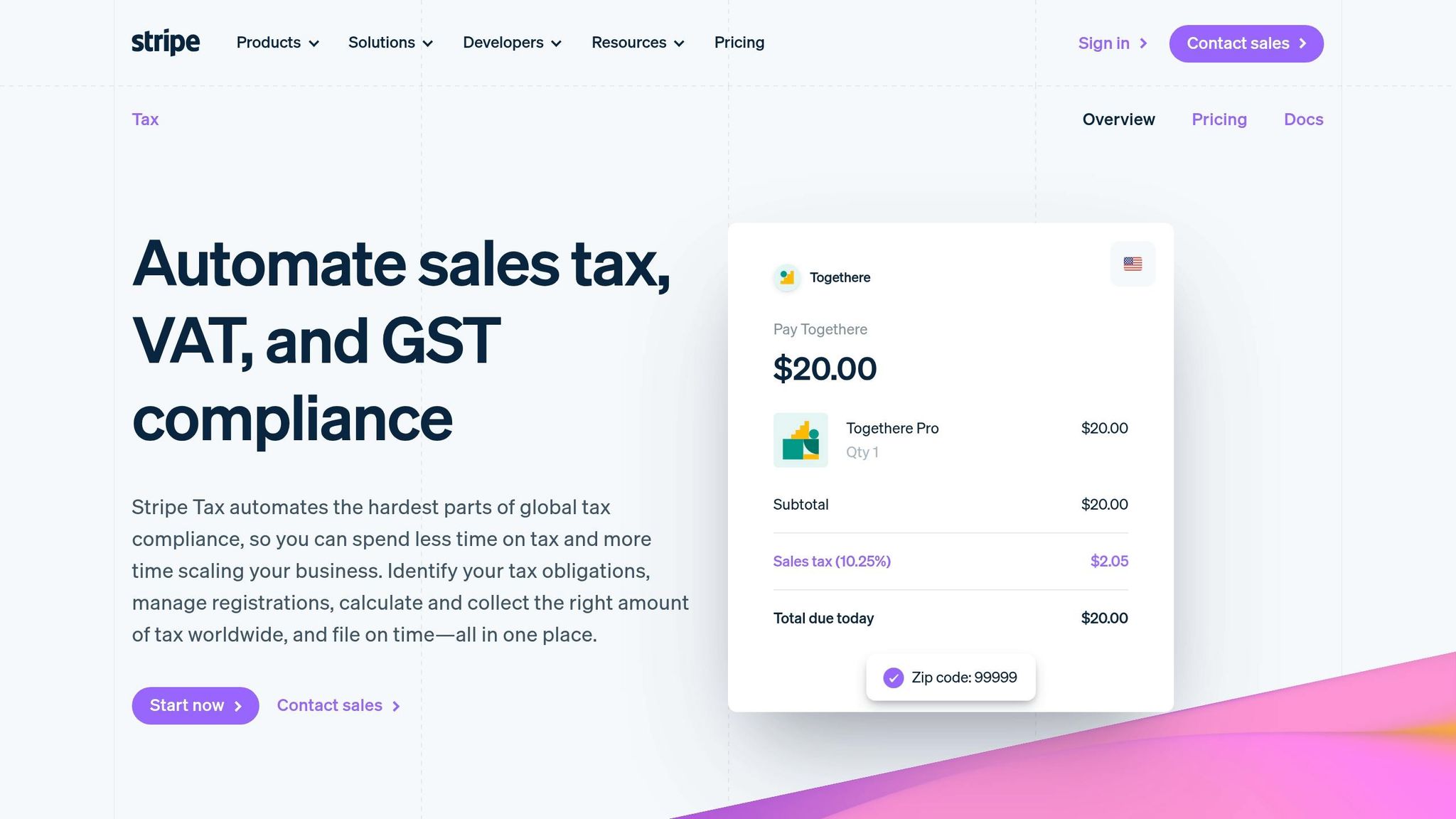
Stripe Tax simplifies tax compliance by automating the entire process - from tracking obligations to calculating rates, collecting tax at checkout, and generating detailed filing reports. It works across 100+ countries and all U.S. states. For businesses already using Stripe, enabling tax automation is straightforward. You can either toggle a setting in the Dashboard or add automatic_tax[enabled]=true to your integration.
Core Features of Stripe Tax
One of the standout aspects of Stripe Tax is its ability to calculate tax rates in real time. By using the business and customer locations along with product categories, it ensures accurate tax calculations. With support for over 600 product tax codes, it can handle a wide variety of products and their specific tax requirements.
Another helpful feature is its nexus monitoring. This tool tracks your transaction volumes and sends alerts when you're approaching registration thresholds, which is especially useful in the U.S., where over 11,000 tax jurisdictions exist.
When it comes to filing, Stripe Tax generates exportable, jurisdiction-specific summaries for manual submissions. For those who want complete automation, Stripe collaborates with TaxJar for U.S. filings and Taxually for international returns. These services are available as an optional add-on.
These features make Stripe Tax a practical choice for businesses navigating complex tax requirements across multiple jurisdictions.
How Stripe Tax is Priced
Stripe Tax uses a simple, usage-based pricing system. You’re charged only when a tax calculation occurs - there are no monthly fees or setup costs. For businesses using Stripe’s native integrations, fees apply per transaction, while custom or external payment flows incur fees per API call.
An important note: fees only start after you register at least one tax location in your Dashboard. Until then, you can use the free threshold monitoring tool to identify where you’re legally required to collect tax. For businesses with straightforward needs, such as selling in one or two states with fixed rates, Stripe offers a free "Tax Rates" feature. This allows you to manually define rates without incurring any per-transaction fees.
Option | Cost | Best For |
|---|---|---|
Stripe Tax (Automated) | Per transaction / per API call | Businesses managing taxes across multiple jurisdictions |
Tax Rates (Manual) | Free | Simpler setups with fixed tax rates |
Automated Filing | Additional fee (via TaxJar/Taxually) | Businesses wanting fully automated tax filings |
Avalara? TaxJar? Taxify? BEST SALES TAX APP for Ecommerce

Overview of Leading Tax Automation Tools
Expanding your tax automation toolkit beyond Stripe Tax can help you create compliance strategies that align with your specific business model. Here’s a look at some alternative tax automation tools.
Avalara
Avalara has built a reputation as a go-to solution for tax compliance. Its AvaTax feature calculates taxes in real time across 190+ countries and over 12,000 U.S. jurisdictions. The platform also includes automated filing through Avalara Returns, tools for managing exemption certificates, and nexus tracking - all integrated into one system. In 2025 alone, Avalara filed over 6.6 million returns and processed a staggering 54 billion transactions with a reported accuracy rate of 99.999%.
Avalara’s pricing is based on transaction volume, so there’s no standard flat fee - you’ll need a custom quote. However, businesses that qualify for the Streamlined Sales Tax (SST) program can manage sales tax in 25 states for free through Avalara.
"Sales tax laws are expanding and evolving daily... Avalara takes on that responsibility and weight, allowing more time to focus on other tasks." - Courtney Sullivan, Tax Accountant, Bottomline Technologies
Avalara is best suited for mid-to-large businesses handling complex, multi-jurisdiction tax needs. With over 1,400 partner integrations - including ERP, ecommerce, and POS systems - it’s easy to connect Avalara with your existing tech stack.
For businesses with simpler needs, TaxJar might be a better fit.
TaxJar
TaxJar, now part of Stripe, specializes in serving U.S.-based ecommerce and SaaS businesses. Designed with simplicity in mind, it offers an API-first approach and an intuitive dashboard for tracking nexus obligations across states. Its standout feature, AutoFile, automates the submission of sales tax returns, eliminating the hassle of manual filings. This feature is particularly helpful for small businesses using payment platforms like Gatsboy, streamlining compliance alongside payment management.
TaxJar’s plans start at $19/month, making it one of the most budget-friendly options for smaller operations. It also boasts a 4.7/5 rating on G2, with users frequently highlighting its ease of use.
For companies operating on a global scale, Anrok provides a more tailored solution.
Anrok

Anrok is specifically designed for global SaaS and subscription businesses. A unique feature of Anrok is its ability to integrate with HR systems like BambooHR and Rippling, enabling it to monitor physical nexus created by remote employees - something most tax tools overlook. Additionally, it provides real-time tracking for VAT and GST obligations in over 100 countries.
Pricing reflects Anrok’s specialized focus, with Starter plans reportedly starting at $499/month and Growth plans at around $999/month, plus a per-transaction fee ranging from 0.30% to 0.40%. While its setup can be challenging, especially for custom API configurations, some users report smooth transitions:
"We switched to Anrok in three weeks with zero friction." - Katya Ewing, Head of Tax, Notion
For large enterprises with intricate needs, Vertex is a top contender.
Vertex

Vertex has been a key player in the tax technology space since 1978, catering to large enterprises with complex and high-volume tax requirements. It integrates seamlessly with ERP systems like SAP, Oracle, and NetSuite, offering extensive international tax data and customizable rules.
Vertex’s pricing isn’t listed publicly, but enterprise quotes often start above $10,000/year, depending on transaction volume and complexity. While it scores a respectable 4.5/5 on G2, some users mention that the interface can be challenging to navigate and that implementation requires significant effort.
Tool | Best For | Filing | Starting Price |
|---|---|---|---|
Avalara | Mid-market to enterprise, multi-industry | Native (Avalara Returns) | Custom quote |
TaxJar | U.S. ecommerce & SaaS, small-to-mid businesses | Native (AutoFile) | $19/month |
Anrok | Global SaaS & subscription businesses | Native (Automated) | ~$499/month |
Vertex | Large enterprises with complex ERP needs | Native (Automated) | $10,000+/year |
Feature Comparison: Stripe Tax vs. Other Tools
Tax Coverage and Compliance
Stripe Tax handles tax calculations in over 100 countries and all 50 U.S. states, covering more than 600 product categories. However, compliance goes beyond calculations - it also involves filing and integration. Avalara, for instance, offers precise address validation across more than 12,000 U.S. jurisdictions, which is especially useful in areas with varying tax rates within a single ZIP code. Unlike some competitors, Stripe Tax relies on third-party services for filing.
Feature | Stripe Tax | Avalara | TaxJar | Anrok | Vertex |
|---|---|---|---|---|---|
U.S. Sales Tax | Yes | Yes | Yes | Yes | Yes |
Global VAT/GST | Yes (100+ countries) | Yes (75+ countries) | Limited | Yes | Yes |
Auto-Filing | No (via partners) | Yes | Yes | Yes | Yes |
Exemption Certs | No (via partners) | Yes | Yes | Yes | Yes |
Nexus Monitoring | Stripe-only | Multichannel | Multichannel | HR + Sales | Multichannel |
When choosing a tool, ensure it aligns with your compliance needs and integrates well with your systems.
Integrations and Workflow Fit
Integration plays a crucial role in maintaining smooth tax workflows. Stripe Tax connects seamlessly with Stripe's own tools like Checkout, Billing, Invoicing, and Payment Links, making it an easy choice for businesses already using Stripe. For example, small businesses using platforms like Gatsboy for online bookings and payments benefit from automated tax calculations right from the start.
For businesses selling across multiple channels, Avalara’s extensive network of over 1,400 integrations supports ERPs like SAP, Oracle, and NetSuite, as well as ecommerce and POS systems. Anrok, on the other hand, is tailored for SaaS companies, integrating with HR platforms like Rippling and BambooHR to track nexus created by remote employees.
"Within a couple of hours, we had our development sandbox up and we were evaluating transactions." - Jason Heckel, (Former) Senior Director of Tax, Zillow
Pricing and Total Cost
Cost is often a top concern for small business owners. Stripe Tax charges 0.5% per transaction, with fees scaling as revenue grows. For instance, a business generating $100,000 in monthly revenue would pay about $500 per month, excluding filing costs. TaxJar offers a more predictable option with a $19/month Starter plan for up to 200 orders, and AutoFile available for an extra $30–$35 per return.
Tool | Starting Price | Pricing Model | Filing |
|---|---|---|---|
Stripe Tax | 0.5% per transaction or $90/mo | Pay-as-you-go or subscription | No (via partners) |
TaxJar | $19/mo | Tiered by order volume | Yes (with additional fee) |
Anrok | ~$499/mo | Subscription + 0.30%–0.40% per transaction | Yes |
Avalara | Custom (est. $250+/mo) | Transaction-based | Yes |
Vertex | $10,000+/year | Enterprise quote | Yes |
Ease of Use and Setup
Stripe Tax is designed for simplicity, offering one-click setup for businesses already using Stripe. Similarly, TaxJar features an intuitive dashboard that makes onboarding easy, catering to businesses with straightforward tax needs. These tools are particularly beneficial for small businesses utilizing platforms like Gatsboy to simplify payment management.
For more complex tax environments, Avalara and Vertex provide advanced features but require more effort to implement. Avalara, with a G2 rating of 4/5, often requires guided setup, while Vertex, rated 4.5/5 on G2, is geared toward enterprises with dedicated IT or tax teams.
Ultimately, the decision often comes down to balancing simplicity with capability. Stripe Tax and TaxJar are great for businesses with basic needs, while Avalara and Vertex are better suited for those requiring more advanced solutions.
Choosing the Right Tool for Your Business
How to Assess Your Tax Automation Needs
Once you've reviewed the feature comparison, it's time to narrow down your options based on your specific business needs. Start by considering where you sell, the nature of your products or services, and the technology you currently use. It's crucial to select a tool that handles all relevant jurisdictions and keeps an eye on economic nexus thresholds, so you're notified when it's time to register in a new state.
For businesses with simpler setups - like a single sales channel and primarily domestic customers - Stripe Tax or TaxJar can be excellent starting points. However, if your operations span multiple states or include international sales, you'll need broader coverage. For SaaS products or businesses selling across multiple channels, tools like Anrok or Avalara are designed to handle more intricate tax scenarios.
"The right tax management system becomes important infrastructure, automating rules, tracking thresholds, flagging risks, and keeping compliance from slowing growth." - Stripe
Using Stripe Tax with Gatsboy

If you're a small business using Gatsboy to power your website, Stripe Payments is already integrated, making Stripe Tax an easy choice. Since Stripe Tax is built directly into the Stripe platform, there’s no need to mess with third-party plugins. You can activate it with just a single line of code or a quick toggle in your Stripe dashboard.
When customers book a service or make a purchase through your Gatsboy site, Stripe Tax automatically calculates the correct tax based on their location. This simplifies the checkout process and reduces the risk of errors.
"Stripe Tax is natively built into Stripe, so you can get started faster – no third-party integration or plug-ins are required." - Stripe
Take these factors into account as you refine your compliance strategy and choose the tool that best matches your business needs.
Final Considerations
When deciding on a tool, focus on compliance coverage, how easily it integrates with your systems, and whether it aligns with your existing infrastructure. For businesses already using Stripe, Stripe Tax is a natural fit. Use the table below to compare the key features of each option and determine which one aligns with your priorities.
Tool | Best For | Major Factor |
|---|---|---|
Stripe Tax | Businesses already using Stripe; simple setups | Does not directly file taxes; utilizes partner services |
TaxJar | Small businesses with straightforward needs | May offer limited global tax support |
Anrok | SaaS companies with remote teams | Typically comes at a higher cost |
Avalara | Multi-channel sellers needing deep integrations | Can involve a complex setup and pricing model |
Ultimately, your decision should reflect your business’s sales channels, technology stack, and compliance requirements. The right tool will streamline your operations and reduce the risks tied to manual tax calculations.
FAQs
Do I still need to register for sales tax if I use Stripe Tax?
Yes, even with Stripe Tax, you still need to register for sales tax in any jurisdiction where your business has tax obligations. While Stripe Tax simplifies processes like calculating, collecting, and filing sales tax - and can even help with registration if you meet nexus thresholds - it’s your responsibility to secure the required permits and ensure your business is properly registered before Stripe Tax can manage compliance.
Which tool is best if I sell in multiple states and online channels?
Stripe Tax is a standout solution for businesses handling multi-state and online sales. It provides real-time tax calculations, ensuring accuracy across more than 130 countries and all U.S. states. With built-in support for tax registration, monitoring, and filing, it takes the hassle out of compliance for companies operating across diverse sales channels. Its automation and scalability make managing tax obligations straightforward, even as your business grows.
What’s the cheapest way to automate sales tax filing in the U.S.?
If you're looking to streamline sales tax filing without breaking the bank, there are several budget-friendly platforms that can help. These tools are designed to simplify compliance while keeping costs low - perfect for smaller businesses.
For instance, Stripe Tax integrates with third-party partners to offer automated filing on a usage-based pricing model. This means you only pay for what you use, making it a flexible option for businesses with varying needs.
Another wallet-friendly choice is Galvix, which starts at less than $20 per month. It provides hands-off compliance management, catering to businesses that value simplicity and affordability. Whether you're a small operation or just looking to save on administrative costs, these solutions can help you stay compliant without the hassle.
Related Blog Posts
Join our community of 15,000+ business owners
Popular articles
Popular articles about your website and marketing your small business


