


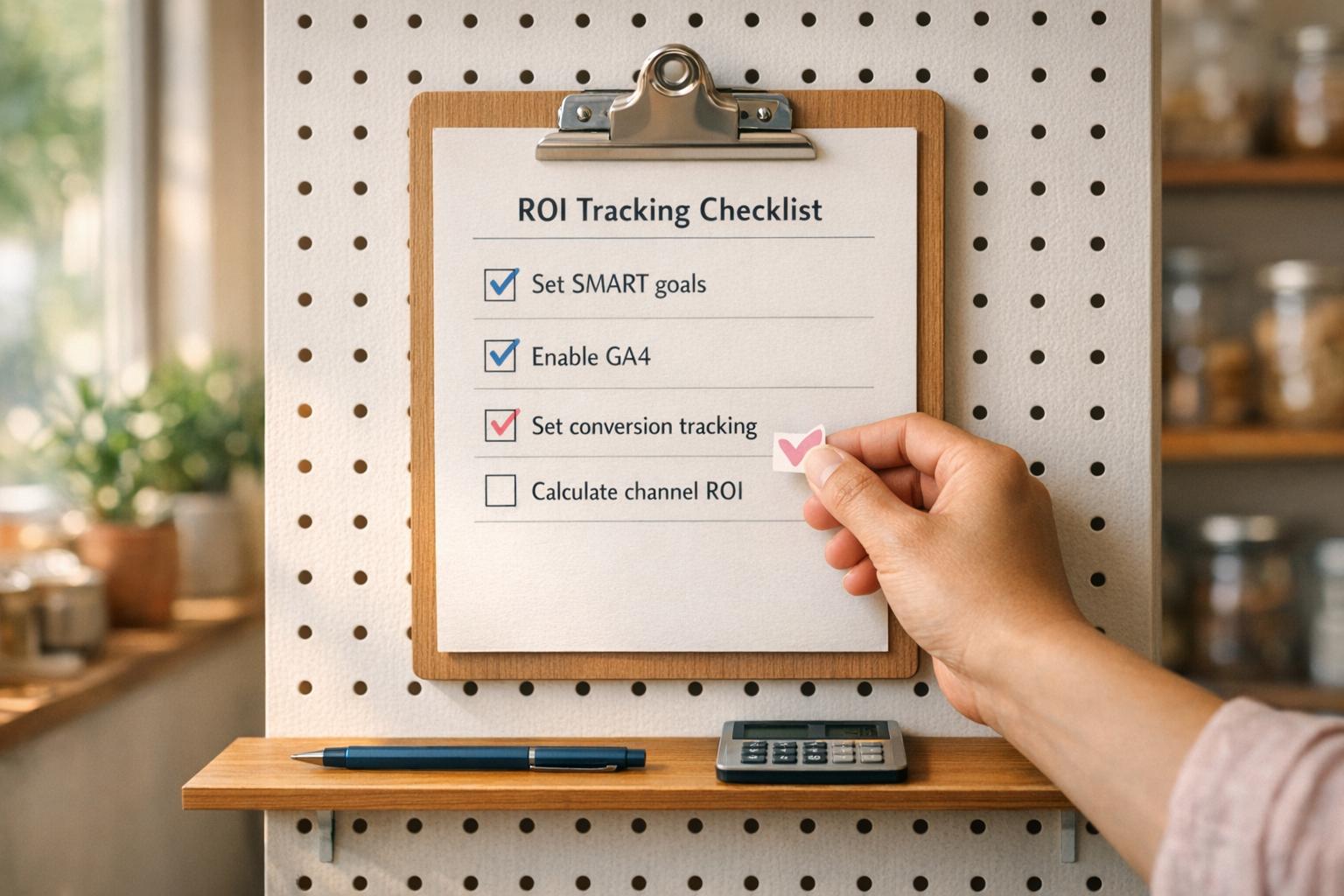
ROI Tracking Checklist for Small Businesses
Small Business Marketing
Want to make smarter marketing decisions? Start tracking ROI. Many small businesses waste money on marketing by focusing on vanity metrics like likes or website visits. But here's the truth: these numbers don’t show how much revenue you’re actually generating.
ROI tracking helps you measure what works and what doesn’t by focusing on metrics like cost per lead, conversion rates, and customer lifetime value. It’s simple: if you spend $1,000 on ads, how much revenue did it bring back?
Here’s a quick breakdown of what you’ll learn:
Set SMART goals: Define clear objectives tied to revenue.
Track key metrics: Focus on cost per lead, conversion rates, and customer lifetime value.
Use the right tools: Set up Google Analytics 4, conversion tracking, and UTM parameters.
Analyze performance: Calculate ROI for each channel and adjust strategies.
Review regularly: Check your data monthly or quarterly to stay on track.
ROI tracking isn’t just about numbers - it’s about making data-driven decisions to grow your business. Start by setting up proper tracking systems and analyzing which channels deliver the best returns.
Define Marketing Goals and Key ROI Metrics
Set Clear Marketing Objectives
Start by pinpointing exactly what you want your marketing efforts to achieve. Vague goals make it impossible to measure success. Instead, stick to the SMART framework, which ensures your goals are Specific, Measurable, Achievable, Relevant, and Time-bound.
For example, a SMART goal might be: "Generate 30 qualified leads through the website this month" or "Increase online bookings by 20% over the next 90 days." These types of goals give you a clear benchmark to measure progress and determine if your strategies are delivering results.
Make sure every goal ties directly to a business outcome, whether it's lead generation, increased bookings, purchases, or customer inquiries. This way, your ROI tracking stays laser-focused on what truly impacts your bottom line. Once you've outlined your objectives, the next step is identifying the specific metrics you'll use to measure success.
Identify Key Metrics to Track
With your goals in place, narrow your focus to 2–3 key performance indicators (KPIs) that align most closely with your primary objectives.
Here are some of the most valuable metrics to consider:
Metric | What It Tells You |
|---|---|
Cost Per Lead (CPL) | How much you spend to gain one potential customer |
Conversion Rate | The percentage of visitors or leads who complete a desired action |
Customer Acquisition Cost (CAC) | The total cost to acquire one paying customer |
Customer Lifetime Value (CLV) | The total revenue you can expect from a customer over their lifetime |
Revenue Generated | The actual income linked to a specific campaign or channel |
A quick tip: Keep your CPL within 10–20% of your customer value, and aim to keep CAC below one-third of your CLV. These ratios help you decide if a marketing channel is worth your investment.
Establish Baseline Metrics
Once you've defined your goals and selected KPIs, it's time to document your current performance. Record your baseline metrics (e.g., CPL, conversion rate, average sale value) and use a consistent attribution model - like First-Touch or Last-Touch - to ensure your future data is comparable. This gives you a concrete starting point for measuring progress.
As David Martin of Adwave explains:
"The goal is to move beyond theory and build a clear system for connecting marketing actions to real business results."
Stick to fixed time frames, such as monthly or quarterly, to ensure your comparisons remain consistent and actionable. This approach will help you track trends and adjust strategies as needed.
Track Marketing ROI and Cost per Acquisition in Excel or Google Sheets (No Fancy Software Needed)
Audit Your Tracking Systems
With your goals in place, it's time to ensure your tracking tools are working correctly. Even the best marketing strategy can crumble if your tracking systems are broken or set up improperly. As Rob Andolina, Paid Media Strategist at Clicks Geek, wisely states:
"The solution isn't more marketing - it's better tracking."
Check Your Website Analytics Setup
Start by confirming that your website's analytics tools are installed and functioning properly. Use your browser's developer tools to check for your Google Tag Manager (GTM) container ID (GTM-XXXXXX) or Google Analytics 4 (GA4) Measurement ID (G-XXXXXXXXXX) in the <head> of your website's source code.
Once confirmed, open GA4's Realtime report and navigate through your website. You should see your activity reflected as an active user, with page_view events registering in real time. Keep in mind that GA4's default data retention is only two months. To maintain enough historical data for year-over-year ROI comparisons, update this setting to 14 months in the Admin section. Also, exclude internal IP addresses to prevent internal traffic from skewing your analytics.
Finally, set up conversion tracking to ensure you're capturing the key actions that matter most for your business.
Enable Conversion Tracking
After verifying your analytics setup, the next step is to confirm that your conversion events are being tracked accurately. This is vital for calculating ROI because what truly matters is whether critical actions - like form submissions, bookings, or purchases - are recorded as conversion events. In GA4, events such as generate_lead or purchase need to be manually marked as "Conversions" in the Admin settings; they won't count as conversions by default.
To simplify managing your tracking codes, use Google Tag Manager (GTM) as a centralized dashboard. GTM lets you add or update tags without directly editing your site's code. For tracking traffic from ads, emails, or social media, attach UTM parameters to your external URLs. These parameters (covering source, medium, campaign, content, and term) help your analytics tools identify where visitors are coming from and which channels are driving conversions. Avoid using UTM parameters on internal links, as this can overwrite original source data and disrupt attribution tracking.
If your business generates leads through phone calls - a common scenario for local service providers - standard web analytics won't capture these interactions. To solve this, implement dynamic number insertion (DNI) for call tracking. This tool links phone inquiries to their respective marketing sources.
Review Attribution Settings
Once your conversions are being tracked, it's essential to fine-tune your attribution settings. Proper attribution ensures that each marketing channel gets the credit it deserves, giving you a clearer picture of your ROI. Misaligned attribution can lead to poor budget decisions.
One key adjustment is aligning your attribution window with your sales cycle. For instance, if your customers typically take 30 days to make a decision, a default 7-day window will miss many conversions. For most small businesses, a 30- to 90-day attribution window provides a more accurate view.
GA4's default Data-Driven Attribution (DDA) model uses machine learning to allocate credit across touchpoints based on their actual influence on conversions. This model is more reliable than simpler methods like Last Click, which ignores earlier interactions in the customer journey. Use GA4's Model Comparison report regularly to see how different attribution models distribute credit. You might find that channels appearing weak under Last Click are actually crucial for creating initial awareness.
Calculate ROI and Analyze Performance
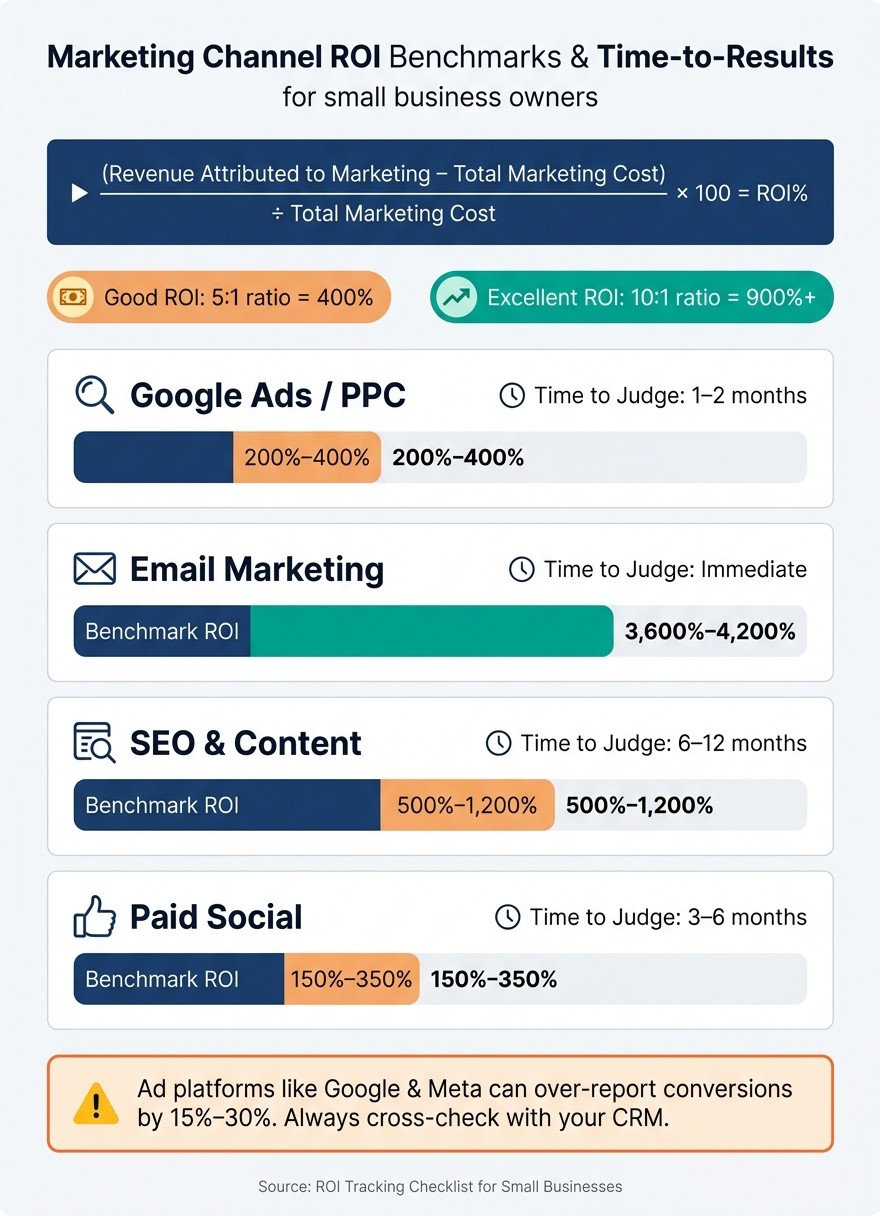
Marketing Channel ROI Benchmarks & Time-to-Results Guide
Once your tracking systems are in place and attribution settings are fine-tuned, it's time to turn your data into actionable insights. This step takes you from simply collecting numbers to making informed decisions.
Use the ROI Formula
The basic formula for calculating ROI is:
(Revenue Attributed to Marketing − Total Marketing Cost) ÷ Total Marketing Cost × 100 = ROI%
For example, if a campaign generates $10,000 in revenue and costs $2,000, the ROI is 400%. In general, a 5:1 ratio (or 400% ROI) is considered good, while a 10:1 ratio is excellent.
Make sure your Total Marketing Cost includes all expenses, such as ad spend, software subscriptions, freelancer fees, and prorated labor costs.
For a more accurate analysis, you can calculate ROI using gross profit instead of total revenue. By factoring in the cost of goods sold (COGS), this method provides a clearer view of how much you actually retain after expenses.
Once you've calculated ROI, it's important to analyze how individual channels contribute to overall performance.
Compare Channel and Campaign Performance
After determining ROI, evaluate how each channel performs to identify which ones deliver the best results. Keep in mind that different channels operate on varying timelines. For instance, paid search campaigns may show results in just a few weeks, while SEO efforts may take 6–12 months to yield meaningful ROI. Judging all channels using the same timeframe could lead to cutting efforts that are actually effective in the long run.
Here’s a quick reference for evaluating channel performance:
Channel | Time to Judge | Industry Benchmark ROI |
|---|---|---|
Google Ads / PPC | 1–2 months | 200%–400% |
Email Marketing | Immediate | 3,600%–4,200% |
SEO & Content | 6–12 months | 500%–1,200% |
Paid Social | 3–6 months | 150%–350% |
Additionally, be cautious of over-reported metrics from ad platforms like Google or Meta, which can inflate conversions by 15% to 30%. Always cross-check platform data with your CRM or internal sales records to ensure accuracy before reallocating budgets.
Separate Gross and Net ROI
While gross ROI is quick to calculate and uses total revenue, net ROI goes a step further by factoring in COGS and overhead. This distinction is crucial for understanding true profitability and making better long-term decisions.
This analysis becomes even more critical for businesses like e-commerce brands or service providers with repeat customers. A campaign might initially show a negative ROI on a first purchase but still generate long-term profits if customers make repeat purchases. Tracking metrics like the 90-day Customer Lifetime Value (LTV) alongside your ROI calculations helps you avoid prematurely cutting channels that contribute to sustained revenue growth.
Review and Improve Tracking Over Time
Tracking ROI isn’t a one-and-done task. Markets change, systems fail silently, and outdated data can lead to poor budget decisions. To keep your ROI data relevant and actionable, you need to revisit and refine your tracking processes regularly.
Set a Regular Review Schedule
For small businesses, it’s smart to establish a routine for tracking reviews. Here’s a suggested cadence:
Weekly: Quick checks on paid channels.
Monthly: Spend 60–90 minutes analyzing channel ROI, revenue trends, and attribution accuracy.
Quarterly: Conduct deeper reviews to adjust budgets and align strategies.
Patience is key when evaluating a channel’s performance. Don’t jump ship too soon - commit to at least 3 months for most channels, while SEO and content marketing need 6–12 months to show meaningful results. Many small business owners make the costly mistake of cutting a channel before it has had time to deliver.
Monitor Key ROI Metrics Over Time
In addition to scheduled reviews, keep an eye on early-warning metrics to spot potential issues before they escalate. Metrics like CTR, keyword rankings, and email open rates can signal problems early on. For example, a sudden drop in CTR could indicate a need for immediate adjustments to prevent revenue loss.
Don’t stop at surface-level metrics. Dive deeper into data like cost per acquisition (CPA), average order value, and customer retention rates. These metrics can uncover trends that a simple ROI snapshot might overlook, giving you a fuller picture of performance.
Address Tracking Errors and Revise Assumptions
Attribution errors are more common than you might think - studies show inaccuracies of 15% to 30% aren’t unusual.
"Most marketing teams operate with 15 to 30% attribution inaccuracy without realizing it, making strategic decisions on fundamentally flawed data foundations." - David Pombar, Trackingplan
To combat this, audit your conversion tracking quarterly. One practical method is to open your website in a private browser window, walk through key conversion paths, and monitor analytics in real time. For offline conversions, ask new leads how they found you and log this data in your CRM. These regular audits ensure your tracking stays reliable as market conditions evolve.
Businesses that perform consistent digital marketing audits see a 20% boost in ROI compared to those that skip this step. Staying proactive with tracking reviews can make a measurable difference in your overall marketing success.
Conclusion
Key Takeaways
Tracking ROI isn't complicated, but it does require consistency and a clear focus. Pay attention to metrics that directly impact revenue, such as leads, cost per lead, conversion rates, and customer lifetime value. Don't forget to include all associated costs - ad spend, software fees, agency charges, and labor - when calculating your ROI. Also, remember to give each marketing channel enough time to deliver measurable results.
"Most businesses that think marketing 'failed' were actually measuring wrong - not marketing wrong." - James Gleeson, Founder, Everblue Digital
Next Steps
Now that you understand the fundamentals, it’s time to put them into practice. Start by implementing these steps to improve your ROI tracking:
Set up GA4 if you haven’t already.
Use UTM parameters to tag your links for better tracking.
Block out 60–90 minutes each month to analyze your data and refine your strategy.
These small, consistent actions can make a big difference without requiring a hefty budget.
If you're looking for an easy way to manage your website, track leads, and handle customer interactions all in one place, check out Gatsboy.
FAQs
Which ROI metric should I track first?
To measure the success of your marketing efforts, start by focusing on ROI (Return on Investment). Calculate it by using this formula: revenue generated minus marketing costs, divided by marketing costs. This gives you a direct link between your marketing activities and the revenue they generate.
Prioritize tracking primary conversion goals - things like inquiries, bookings, or actual sales. Additionally, keep an eye on metrics such as customer lifetime value (CLV) or conversion rates, as these provide deeper insights into how effective your campaigns are.
Steer clear of vanity metrics like social media likes or follower counts. While they might look impressive, they rarely offer meaningful insights into your marketing’s profitability or real impact.
How do I track phone calls and offline leads in ROI?
To measure the ROI of phone calls and offline leads, you’ll need to use offline attribution and call tracking. Here’s how it works:
Assign unique phone numbers to each marketing channel. This way, you can identify exactly where incoming calls are coming from.
Use call tracking software to connect phone calls to specific campaigns. This software helps you trace which ads or strategies are driving those calls.
Analyze recorded calls to evaluate the quality of leads. This step ensures you’re not just counting calls but understanding their potential value.
By combining these techniques, you’ll gain clearer insights into how offline leads contribute to your overall marketing ROI. It’s a practical way to bridge the gap between online and offline performance.
What should I do if GA4 and ad platform conversions don’t match?
If you're noticing a mismatch between GA4 and ad platform conversions, it's time to take a closer look at your GA4 setup. Start by auditing your event tracking and tagging to ensure everything is functioning properly. Look for potential issues like ad blockers or misconfigured tags that might be interfering with data collection.
Next, compare your GA4 data with information from your backend systems or CRM. This can help you identify any gaps or inconsistencies that may point to tracking problems. If you find discrepancies, you may need to adjust your setup or even integrate additional tools to fill in the gaps.
Accurate data is the backbone of smart marketing decisions, so resolving these issues should be a top priority.
Related Blog Posts
Únete a nuestra comunidad de 15,000+ propietarios de negocios
Artículos populares
Artículos populares sobre su sitio web y la comercialización de su pequeña empresa


