


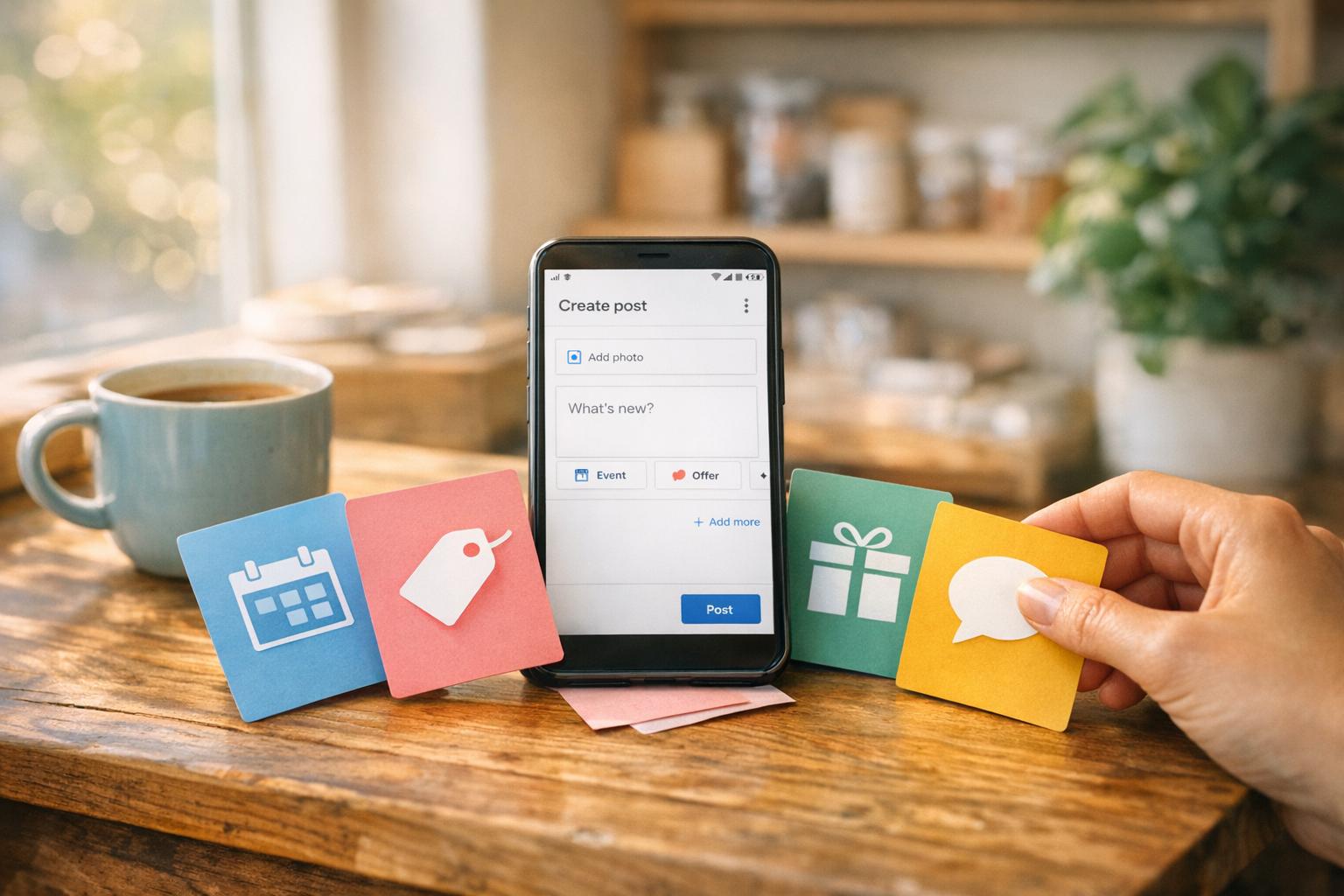
50+ Google Post Examples For Small Business Promotions
Small Business Marketing
Google Posts are a free tool within your Google Business Profile that helps small businesses directly connect with local customers searching for their services or products. By regularly posting updates, offers, and events, businesses can:
Increase direction requests by 42% and website clicks by 35%.
Boost customer trust, as profiles with active posts are 2.7 times more likely to be seen as reputable.
Reach high-intent customers, with 46% of Google searches focused on local information.
Posts can include up to 1,500 characters, photos/videos, and a clear call-to-action like "Book Now" or "Get Offer." Categories include event promotions, discounts, product highlights, and engagement updates. Posting weekly can lead to 5–10% more actions like calls and visits, making it a cost-effective way to grow your business without paid ads.
Key Takeaways:
Event Promotions: Share details about grand openings, workshops, or seasonal events.
Offers & Discounts: Use time-sensitive deals like flash sales or BOGO offers to create urgency.
Product Highlights: Showcase new arrivals, bestsellers, or services with concise descriptions.
Engagement Updates: Build trust with team introductions, customer stories, or community involvement.
Consistency is crucial - posting 2–3 times weekly keeps your profile fresh and drives local engagement. Start using Google Posts to increase visibility and attract more customers today.
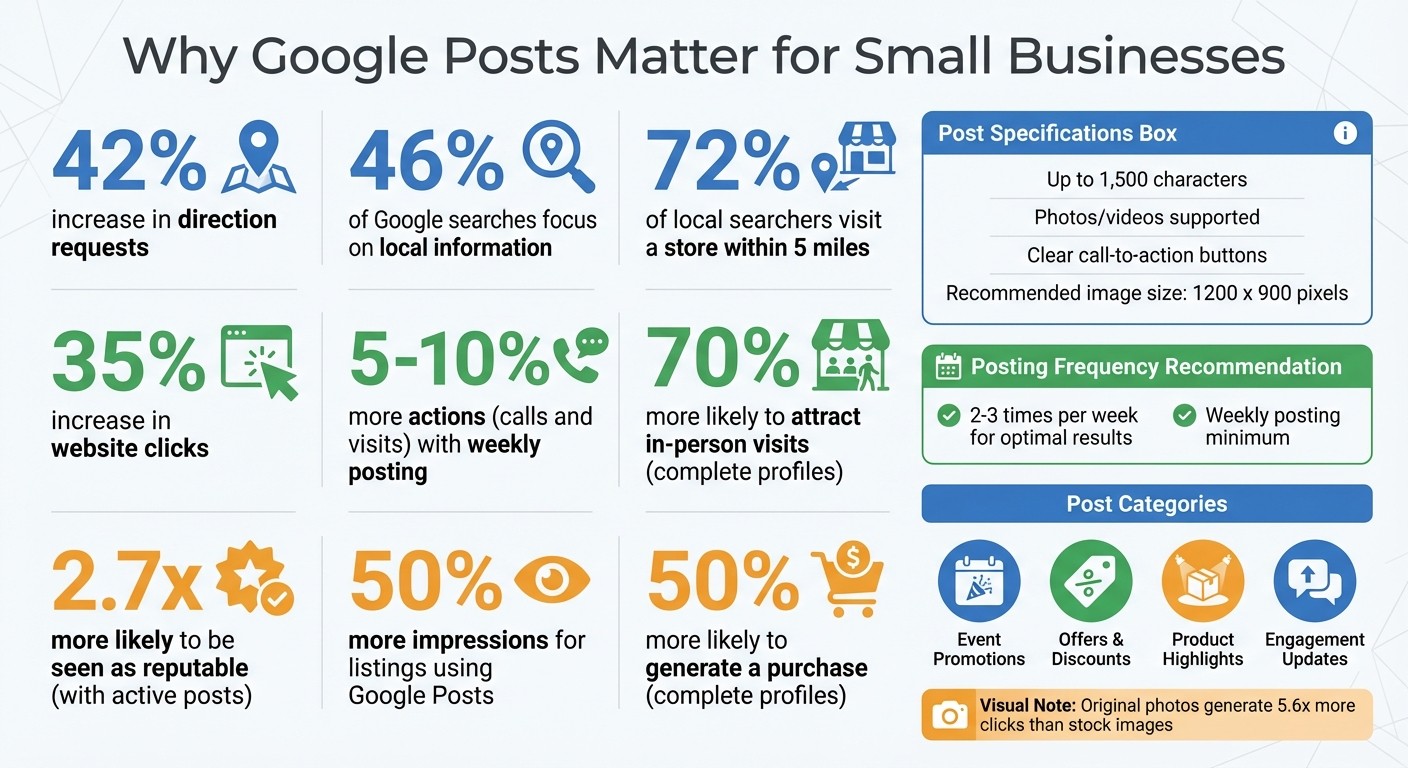
Google Posts Impact Statistics for Small Businesses
Google My Business Posts Examples & How To Create Your Own
1. Event Promotions
Event posts on your Google Business Profile stay visible until the event date, offering longer exposure compared to regular updates. Plus, they show up directly in search results and on Maps, catching the attention of people actively looking for local businesses.
Creating an event post is simple: include the event name, date, time, and a description (up to 1,500 characters). Add a high-resolution, original photo (recommended size: 1200 x 900 pixels) and a clear Call-to-Action button like "Book", "Sign Up", or "Reserve" to encourage immediate responses. Using original photos can make a big difference - they generate 5.6 times more clicks than stock images. Below are 13 ideas to help you craft engaging event posts.
Creative Event Promotion Ideas
Grand Opening Celebrations: Share the excitement of a new location or business launch by offering perks like live entertainment or opening-week specials.
Hands-On Workshops: Host interactive classes such as cooking demos, fitness sessions, or DIY repair workshops to engage your audience.
Educational Webinars: Showcase your expertise with virtual Q&A sessions or online seminars.
Community Festival Participation: Promote your booth or sponsorship at local events to draw in nearby customers.
Charity Fundraisers: Collaborate with local nonprofits for events like toy drives or cleanup days to connect with the community.
24-Hour Flash Sales: Create urgency with limited-time offers exclusive to local customers. Phrases like "Tickets selling fast" can drive action.
Holiday Specials: Tie your events to holidays like Valentine's Day, Halloween, or Mother's Day to attract seasonal interest.
Product Launch Parties: Build excitement with events introducing new menu items, seasonal collections, or tech products.
Customer Appreciation Days: Reward loyal customers with VIP-only hours or double loyalty points to strengthen relationships.
Anniversary Milestones: Celebrate your business anniversaries with special pricing or events that tell your founder’s story.
Seasonal Prep Sessions: Host events that address seasonal needs, such as winterizing homes or planning spring gardens.
Professional Networking Events: Offer workshops or meetups for local professionals to build business connections.
In-Store Demonstrations: Draw visitors with live demos, artisan showcases, or live music performances.
As the event date approaches, consider posting countdown reminders like "Only 3 days left!" Include local details - such as your city or neighborhood - in your description to improve search visibility. During the event, share live photos to attract last-minute attendees, and afterward, post highlights to keep the excitement going for future events.
2. Offers and Discounts
Offer posts are all about creating urgency with set start and end dates. Begin with a bold promotion statement, like “20% off lunch menu,” to grab attention before the text gets cut off on mobile screens. Always choose the specific "Offer" post type, which allows you to add a title, set timeframes, include a coupon code, and link your call-to-action button directly to a booking or landing page - skipping the homepage altogether.
Use high-quality images (1200 x 900 pixels is ideal) that showcase the product or service you're discounting. Include clear instructions for redeeming the offer, and avoid adding phone numbers in the text, as this could trigger Google’s spam filters. Ready to inspire action? Check out these discount ideas tailored for small businesses.
Discount Post Ideas for Small Businesses
24-Hour Flash Sale: Create urgency with a limited-time 50% off deal ending at midnight.
New Customer Special: Attract first-timers with offers like "$50 off your first house cleaning (minimum $150)" or "$49 lawn treatment (regularly $89)."
Seasonal Clearance: Clear out old inventory with promotions like "Winter Clearance - 40% off all remaining stock."
BOGO Deals: Encourage higher sales volume with "Buy One Haircut, Get One Free."
Referral Discount: Reward loyalty by offering discounts to both the referrer and the new customer.
Early Bird Special: Fill less busy hours with deals like "Book before 10 AM and save 15%."
Holiday Bundles: Package products or services for special occasions, such as "Couples Massage Package - $199 (regularly $280)" for Valentine’s Day.
Senior/Student/Veteran Days: Dedicate specific days to targeted groups, like "Senior Discount Tuesdays."
Loyalty VIP Events: Show appreciation to repeat customers with perks like "Double points this weekend" or exclusive pricing for members.
Seasonal Maintenance Promos: Offer timely services, such as "Spring HVAC Tune-up - $79" before seasonal weather changes.
Gift Card Bonus: Boost revenue during slower periods with offers like "Buy a $50 gift card, get a $5 bonus card free."
Last-Minute Cancellation Deals: Fill unexpected openings with "Appointment just opened - 20% off if you book today."
Anniversary Sale: Celebrate milestones with deals like "Founder's Day pricing all month - thank you for 10 years!"
Align your call-to-action button with your goal. For example, use "Get Offer" for discounts, "Order Online" for food promotions, or "Book" for services. Adding your city or neighborhood name in the description can help improve local search visibility. To measure success, don’t forget to include UTM parameters in your links.
3. Product and Service Highlights
Product posts are a great way to showcase what your business offers, combining clear pricing, eye-catching visuals, and strong calls-to-action. They help reinforce your local presence while building ongoing visibility for your brand. Whether you're highlighting your inventory through the Product post type or using the "What's New" post type to share updates like new menu items or staff announcements, these posts keep your audience engaged.
Use authentic images to highlight your products, team, or even customer success stories. Keep descriptions concise - between 150 and 300 characters - to ensure they display fully on mobile devices. Make sure your call-to-action button links directly to a relevant landing page, and include your city or neighborhood name in your text. This strategy helps Google connect your business with local searches, much like event and offer posts, and it steadily increases local engagement.
Posting regularly - about once or twice a week - signals to Google that your business is active. This can lead to up to 42% more direction requests and 35% more website clicks. Below are some creative ways to highlight your products and services effectively.
Product and Service Post Ideas for Small Businesses
New Arrival Announcement: Showcase your latest product with clear pricing and a "Shop Now" button.
Bestseller Spotlight: Feature your most popular product to build trust and attract new buyers.
Staff Pick of the Week: Share a team member's favorite product or service to add a personal touch.
Seasonal Service Reminder: Promote timely offerings, like HVAC tune-ups in spring or heating checks in fall.
Service Bundle/Package: Highlight discounted bundles, such as a couples massage or a deep-clean package.
Before-and-After Transformation: Use split images to show the impact of your service, like a deck staining or kitchen renovation.
Eco-Friendly Highlight: Feature products made from sustainable materials to appeal to environmentally conscious customers.
Inventory Restock Alert: Let customers know when a high-demand item is back in stock to spark immediate interest.
Specialty Service Feature: Promote a unique service, such as 24/7 availability or certified expertise, that sets you apart.
Product Demo Video: Share a short video (under 30 seconds) that shows your product in action to reduce buyer hesitation.
Local Favorite: Highlight a product that's trending or beloved in your community.
New Service Launch: Announce new services with special pricing or introductory offers.
Behind-the-Scenes Process: Give a peek into your process, like the craftsmanship behind artisan bread or quality checks for your products.
These ideas not only keep your audience engaged but also help establish your business as a trusted and active presence in your local area.
4. Engagement and Updates
Engagement posts are a great way to build trust and keep your business at the forefront of people's minds. They show that your business is active and connected to the community. These posts don’t always have to promote a product or service - they can be as simple as sparking a conversation, sharing useful tips, or offering a behind-the-scenes look at your daily operations. Regular posting not only signals to Google that your business is thriving but also keeps potential customers engaged. Just like event, offer, and product posts, these updates can strengthen your online presence and encourage local interactions.
Interactive content, like polls and questions, can increase engagement and improve your visibility in local searches. Sharing educational posts helps establish your business as a trusted local expert, while behind-the-scenes content or team spotlights add a personal, relatable touch to your brand. Here’s something to consider: customers are 2.7 times more likely to see a business as reputable when they find a complete Business Profile on Google Search and Maps. Plus, consistent posting can lead to a 5% to 10% boost in actions like calls, clicks, and requests for directions.
To get the most out of these posts, keep them concise - between 150–300 characters - and always include a clear call-to-action like "Learn More" or "Call Now." Use real photos of your team, workspace, or projects. Authentic images resonate more with people compared to stock photos. These types of posts work hand-in-hand with event, offer, and product updates, ensuring your profile stays lively and community-focused. Below are 11 ideas to keep your audience engaged and informed.
Engagement and Update Post Ideas for Small Businesses
Team Introduction: Share a photo of a team member and a fun fact to make your business more relatable.
Behind-the-Scenes: Post a snapshot or video of your daily operations to promote transparency.
Customer Success Story: Highlight a local client’s problem you solved to build trust.
Expert Tip: Share a helpful tip related to your industry, like seasonal home care advice.
Interactive Poll: Let customers vote on something fun, like a new product color or service option.
Community Involvement: Post about charity events, sponsorships, or partnerships with neighborhood businesses.
Milestone Celebration: Celebrate a company anniversary or achievement to show credibility.
Before-and-After Photos: Use side-by-side images to showcase your work.
Feedback Request: Ask for customer input on new services or menu items.
New Team Member Welcome: Introduce new hires with a photo and a short description of their role.
Seasonal Advice: Offer timely tips, such as winterizing your home or preparing for summer heat.
Conclusion
Google Posts offer a direct line to local customers actively searching for services or products. When people look for what you offer, your posts show up in search results, on Google Maps, and in your business's Knowledge Panel. That’s prime visibility you don’t want to miss. Businesses that post regularly often see a noticeable boost in engagement. In fact, listings using Google Posts get 50% more impressions than those without them.
Make sure your posts reflect your brand’s personality. Use real photos of your team, products, or workspace to stand out. Keep your messaging concise - 150 to 300 characters is ideal - and include clear calls-to-action like “Book Now” or “Get Offer.” Adding local details, like your neighborhood or city, can strengthen your connection with nearby customers. Don’t forget: 46% of all Google searches are for local information, and 72% of people who perform a local search visit a store within five miles.
Consistency is key. Posting two to three times a week keeps your profile fresh and shows Google that your business is active and reliable. Plus, customers are 2.7 times more likely to view a business as reputable when they see a complete Business Profile. Businesses with complete profiles are also 70% more likely to attract in-person visits and 50% more likely to generate a purchase. Mix it up with event promotions, time-sensitive deals, product features, and updates to keep your audience engaged.
Experts in the field back up these strategies:
"Posting once a week can be the difference between being invisible - and being the first business someone clicks on in the Map Pack." - Brandon Leuangpaseuth, SEO Growth Marketer
FAQs
What should I post first on my Google Business Profile?
Kick things off by showcasing what’s happening right now in your business. Whether it’s a seasonal sale, a brand-new product launch, or an upcoming event, sharing timely updates grabs attention and keeps your audience in the loop.
Pair your announcement with high-quality images that highlight the offer or event in an appealing way. For example, if you’re promoting a holiday sale, include vibrant photos of your products decked out for the season.
Don’t forget to include a clear call-to-action - encourage customers to visit your store, explore your website, or reach out for more details. Posts like these not only spark local interest but also show that your business is active and engaged with the community.
How do I track results from Google Posts?
To monitor the success of your Google Posts, check the performance metrics available in your Google Business Profile. Simply go to your profile, click on Performance, and select a specific time range. Here, you'll find insights such as views, clicks, and customer interactions. These details give you a clear picture of how your posts are connecting with local customers and allow you to gauge their impact over time.
Why aren’t my Google Posts getting views or clicks?
Low engagement or visibility on Google Posts often stems from challenges like inconsistent posting, low-quality visuals, or irrelevant content. To address this, aim for eye-catching images, compelling calls-to-action, and targeted local keywords. Posting regularly - about 2 to 3 times a week - helps maintain momentum. Focus on creating timely and engaging content, such as promotions or events, that resonates with your audience. Staying aligned with their interests and ensuring relevance can make a noticeable difference in performance.
Related Blog Posts
Join our community of 15,000+ business owners
Popular articles
Popular articles about your website and marketing your small business


